Whiteboard videos that write Arabic the way a hand does.
Spetch writes every letter stroke by stroke — joined, right to left, dots last — and draws any image you bring, not only a stock library. Animate it on a real timeline and export up to 4K. Pay once; it runs on your computer.
Text isn't uncovered by a brush sweeping across it. Spetch finds the centreline of every letter and writes it with the pen, in the script's own direction: Arabic, Persian and Urdu right to left with the letters joined and dots and marks added last; Hindi with its headline last; Chinese and Japanese top to bottom. Any font on your computer works, and characters it lacks fall back automatically.
2
Your images, drawn
Drop in a photo, a logo, a chart or a sketch: Spetch traces it into strokes and draws it line by line — and you decide the stroke order and timing. The built-in library is a head start, not a limit.
3
A real editor, not a slideshow
Keyframe position, scale, rotation and opacity. Reveal a picture through a video — an ink drop spreading to uncover it. 30 reveal transitions, particle effects, video layers, masks and blend modes, and a multi-track audio timeline with trimming, splitting and ripple delete.
4
Yours to keep
A desktop app for Windows and Mac. Projects stay on your computer, it works offline, and export renders on your own machine — no credits, no queue, no upload — frame for frame what you see in the preview, up to 4K, in landscape, vertical or square. Pro is a single payment, not a subscription.
Before you choose a whiteboard app, check
Spetch does all of these.
Writes Arabic stroke by stroke — joined, right to left — instead of wiping it on
Draws images you bring, not only the ones it ships with
Lets you set the order and timing of every stroke
Exports up to 4K, including vertical video for Shorts and Reels
Follows your narration: import the script (TXT, SRT or VTT) and see each line as it plays
Works offline and keeps your projects on your computer
Costs one payment, not a monthly subscription
What's new in v0.10.0
Spetch v0.10.0 makes shapes draw like a hand would, adds animations that play once a layer is drawn, and fixes how layers are timed when scenes and layers change length.
Shapes are drawn, not wiped
A shape used to be uncovered by a brush the size of a third of the shape, swept around its edge, with the inside popping in at the end. Now the pen traces the outline at its real width, then colours the fill in with back-and-forth strokes — in the preview and in the exported video.
40 shapes in four groups: Basic (now with circle, square, parallelogram, trapezoid, octagon), Arrows (with chevron), Symbols (with cloud and a round speech bubble), and a new Lines group drawn as strokes — line, arrow, double arrow, curve, curved arrow, wave, underline, circle mark, tick and X.
Shape properties: fill on or off and its colour, outline colour and width (0 for none), solid / dashed / dotted outlines — each dash drawn in turn — and switching to another shape while keeping the style.
Animate after drawing
After drawing in the properties loops an animation once a layer has been drawn: Pop, Bounce, Spin, Slide or Fade, at the speed you choose, a set number of times or forever. It works together with keyframes, Pop and Spin turn about the artwork's centre, and the export matches the preview.
Timing that stays put
Resizing a scene changes holds only. Every layer keeps its start and draw time; layers held to the scene's end follow the new end, and a layer the shorter scene would cut into is trimmed to it. Videos keep their full length.
Changing a layer's draw or hold — dragging its edge or typing it in — no longer moves any other layer. In a fixed-length scene it stops at the end instead of shifting the layer's start.
Reveal by transitions stay with their layer. Moving a layer in time carries its reveal along, and a scene resize no longer cuts the reveal short, so the layer is always fully revealed.
The library downloads when you open it
Opening the Library downloads the images not yet on your computer, showing how many and how much (e.g. 31 of 396 images · 10 MB of 171 MB) and the time left at your connection's speed, with Pause and Resume. After that the whole library works offline.
Other changes
Arrow keys move the selected layer — 1 unit, or 10 with Shift. On an animated layer they key the position at the playhead.
Cartoon marker joins the hand library.
These installers are unsigned: Windows SmartScreen warns on first run, and on a Mac the first launch needs right-click → Open.
الجديد في الإصدار 0.10.0
يجعل Spetch 0.10.0 الأشكال تُرسم كما ترسمها اليد، ويضيف حركات تعمل بعد انتهاء رسم الطبقة، ويصلح توقيت الطبقات عند تغيير طول المشاهد والطبقات.
الأشكال تُرسم ولا تُمسح
كان الشكل يظهر بفرشاة بحجم ثلث الشكل تدور حول حافته، ثم يظهر داخله دفعة واحدة في النهاية. أما الآن فيتتبع القلم الحدود بعرضها الحقيقي، ثم يلوّن التعبئة بضربات ذهاباً وإياباً — في المعاينة وفي الفيديو المصدَّر.
40 شكلاً في أربع مجموعات: أساسية (ومنها الآن الدائرة والمربع ومتوازي الأضلاع وشبه المنحرف والمثمن)، وأسهم (ومنها سهم الشيفرون)، ورموز (ومنها السحابة وفقاعة الكلام المستديرة)، ومجموعة خطوط جديدة تُرسم كضربات — خط، وسهم، وسهم مزدوج، ومنحنى، وسهم منحنٍ، وموجة، وخط تحت النص، ودائرة تحديد، وعلامة صح، وعلامة X.
خصائص الشكل: تشغيل التعبئة أو إيقافها ولونها، ولون الحدود وعرضها (0 لإخفائها)، وحدود متصلة أو متقطعة أو منقطة — تُرسم كل شرطة بدورها — والتبديل إلى شكل آخر مع الاحتفاظ بالتنسيق نفسه.
حركة بعد الرسم
خيار بعد الرسم في الخصائص يكرّر حركة بعد اكتمال رسم الطبقة: نبض، أو ارتداد، أو دوران، أو انزلاق، أو تلاشٍ، بالسرعة التي تختارها، لعدد محدد من المرات أو بلا توقف. يعمل مع الإطارات المفتاحية، ويدور النبض والدوران حول مركز الرسم، ويطابق الفيديو المصدَّر ما تراه في المعاينة.
توقيت ثابت لا يتغير
تغيير طول المشهد يغيّر فترات الثبات فقط. تحتفظ كل طبقة ببدايتها ومدة رسمها؛ والطبقات الثابتة حتى نهاية المشهد تتبع النهاية الجديدة، والطبقة التي يقطعها المشهد الأقصر تُقصّ عند نهايته. وتحتفظ مقاطع الفيديو بطولها الكامل.
تغيير مدة رسم الطبقة أو ثباتها — بسحب حافتها أو بكتابة القيمة — لم يعد يحرّك أي طبقة أخرى. وفي المشهد ذي الطول الثابت يتوقف عند النهاية بدلاً من إزاحة بداية الطبقة.
انتقالات الإظهار تبقى مع طبقتها. نقل الطبقة زمنياً ينقل معها انتقال إظهارها، ولم يعد تغيير طول المشهد يقطع الإظهار قبل اكتماله، فتظهر الطبقة كاملة دائماً.
المكتبة تُنزَّل عند فتحها
فتح المكتبة يبدأ تنزيل الصور غير الموجودة على جهازك، ويعرض عددها وحجمها (مثلاً 31 من 396 صورة · 10 ميغابايت من 171 ميغابايت) والوقت المتبقي بحسب سرعة اتصالك، مع إيقاف مؤقت واستئناف. بعدها تعمل المكتبة كلها دون اتصال.
تغييرات أخرى
مفاتيح الأسهم تحرّك الطبقة المحددة — وحدة واحدة، أو 10 مع Shift. وفي الطبقة المتحركة تضيف إطاراً مفتاحياً للموضع عند مؤشر التشغيل.
انضم قلم الماركر الكرتوني إلى مكتبة الأيدي.
ملفات التثبيت هذه غير موقّعة: يعرض Windows SmartScreen تحذيراً عند أول تشغيل، وعلى Mac يحتاج أول فتح إلى النقر بزر الفأرة الأيمن ← فتح.
And everything around it
Illustration library
Hundreds of illustrations in several styles — business, learning, emotions, ideas — that download as you use them and stay available offline.
Hands and pens
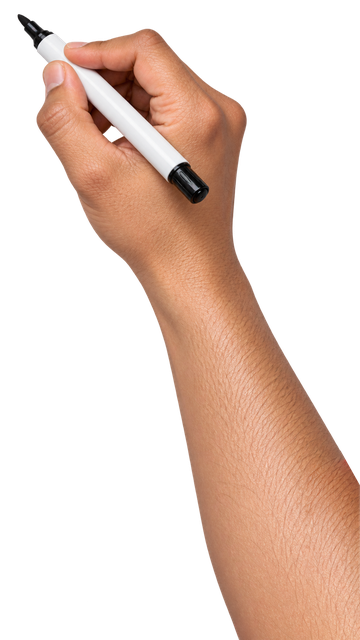
Markers, a pencil and fountain pens in several skin tones, or your own image — with a setup window that puts the tip exactly on the drawing line.
Templates
Save a finished video as a template, then drop new images into its slots — each is traced and fitted into the same place, with the timing, audio and effects intact.
Voice-over script
Import your narration script; timed lines highlight as the video plays, click one to jump there, or turn any line into handwritten text.
Precise layout
Rulers, guides, safe areas and crop frames for vertical and square exports, with snapping to guides, edges and other layers.
Straight to YouTube
Upload the export to your channel the moment it finishes, with title, description, tags and a custom thumbnail.
On a Mac, open Spetch the first time with right-click → Open.
Questions
How do I activate Pro?
After buying you'll get a licence key by email. In Spetch, open ⓘ About, paste the key into Spetch Pro and press Activate.
How many computers can I use?
Two — Windows, Mac or one of each. To move to a new computer, press Remove licence on the old one first.
Does it work offline?
Yes. Activation needs the internet once; after that Spetch checks in every few days and keeps working offline for two weeks. Library images you've used stay available offline.
Is it a subscription?
No — Spetch Pro is a one-time payment.
Can I use the videos commercially?
Yes. Videos you make with Spetch are yours, including for clients, courses and YouTube channels.